Showing posts with label ipython. Show all posts

Tuesday, September 10, 2013

sagemath terminal colours - green > blue

Sagemath includes an embedded version of ipython and any changes you make to terminal colours need to happen in ipython_config.py in the correct place.

After doing a sage install there is a directory on my computer at location:
~/.sage/ipython-0.12/

The goal of this short set of hints is to assist you in creating a suitable profile_sage/ipython_config.py file.

That file should look like this:

# Configuration file for ipython.

c = get_config()

# Set the color scheme (NoColor, Linux, or LightBG).                                                                    
c.TerminalInteractiveShell.colors = 'Linux'

What that will achieve is to make your prompt green instead of blue.
The default (blue) seems a little bright on the eyes, so by setting colors = 'Linux' you get the less garish green prompt instead.

You can just run ahead and use geany or another editor to create ipython_config.py with content detailed above.

If you prefer to look at what iPython itself generates then you might wish to know of these two commands:
  • ipython profile list
  • ipython profile create justcreatedbyme
However be aware that you want to be running the embedded ipython version when doing 'profile create' in order to be sure a a fully compatible profile is created.
( Manual copy / rename things to get file to proper location of
profile_sage/ipython_config.py )

An example of the output from profile list is shown below:
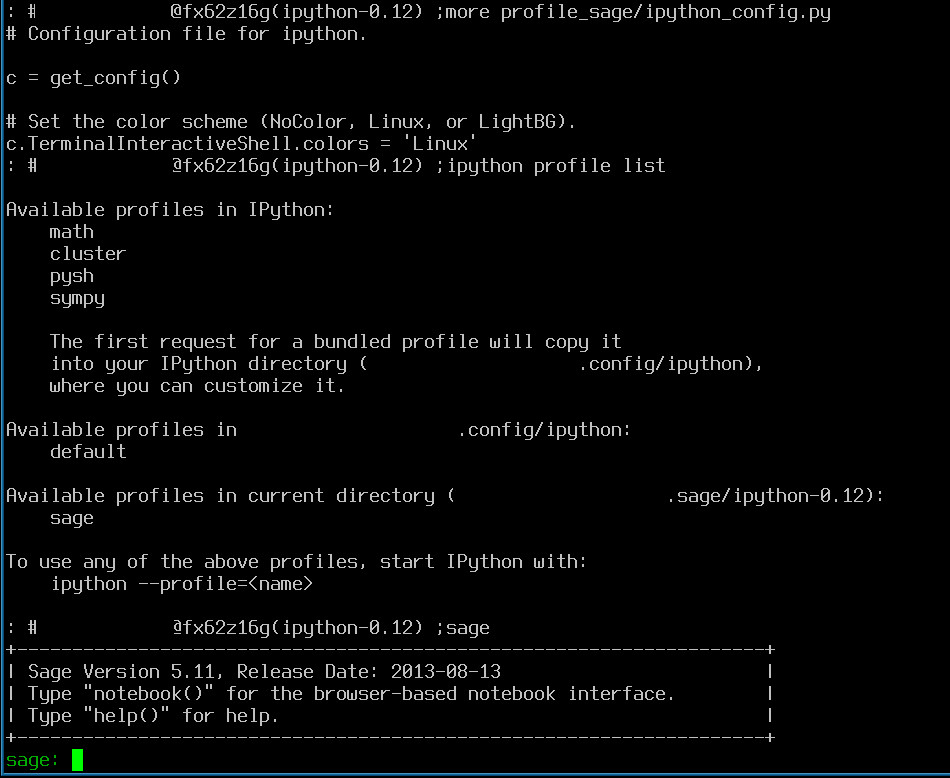
List of profiles available to iPython

Tuesday, May 1, 2012

ipython - Better Feedback for Beginners

Having worked with Python through Sage Mathematics, and directly through Emacs, I never really took the time to understand what IPython offers.


For beginners or Intermediates who want to try something to see if it adds to their productivity, IPython is worth a look.


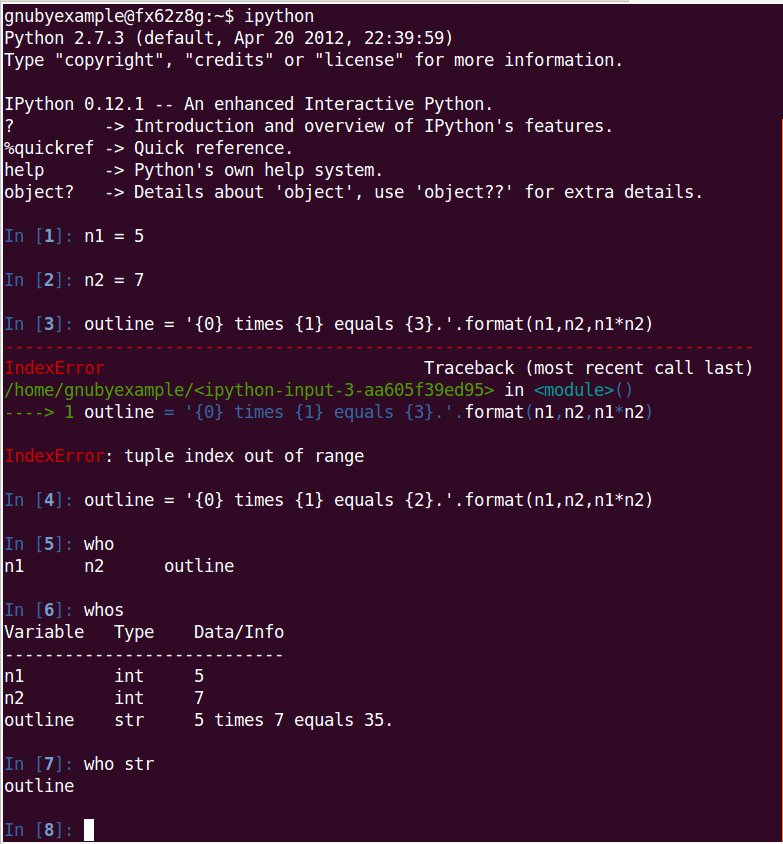
who and whos:

%who lists names of all objects, but %whos shows the list with type and contents summary.

Depending on your system IPython setup, you may be able to omit the % at the front and just type who and similar 


'run' and variable inspection:

The run command executes your python [script] and brings the variable into the interactive namespace.

There are many more features of IPython like tab completion, history, and logging.

Do take a look and see if it can add anything to your productivity in Python.

There is an interactive test site here if you want to get started now:

Saturday, August 13, 2011

Cython - notes and gotchas - part 1

Experimenting with Cython, as bringing together many variants of the same .c file, has me yearning to find a better Python / C balance.

Working through tutorials and experiments, I will note anything tricky, or any easy to fall into traps.


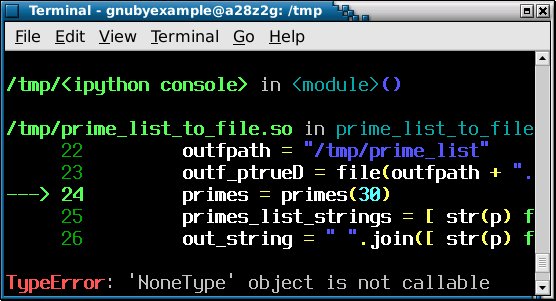
TypeError: 'NoneType' object is not callable:

Because Python is flexible, and does not insist on you declaring variables ahead of time, you may be tempted to do the same in Cython.


Better to declare the variable 'primes' explicitly, or to avoid name clashes.


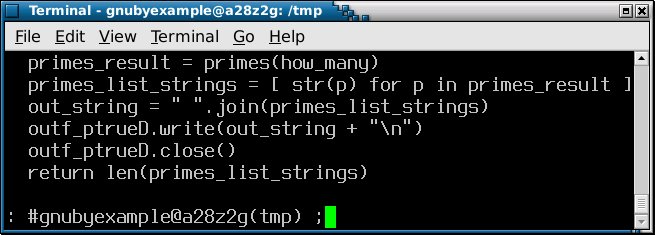
So in the second example the result of the function call ends up in 'primes_list_strings' and we work on it from there.

To clarify the original error: Calling the variable that holds the result 'primes', and making a function call to primes() in the same line, might lead to confusion.


Notes and Further Reading:

If you want completion features when working with Python, then one solution is to invoke iPython and use that.

There are several full IDEs for Python including Idle and Eric, but if you just need a little completion (and syntax highlighting), then iPython is okay also.


Screenshot of Eric from screenshots.debian.net: